
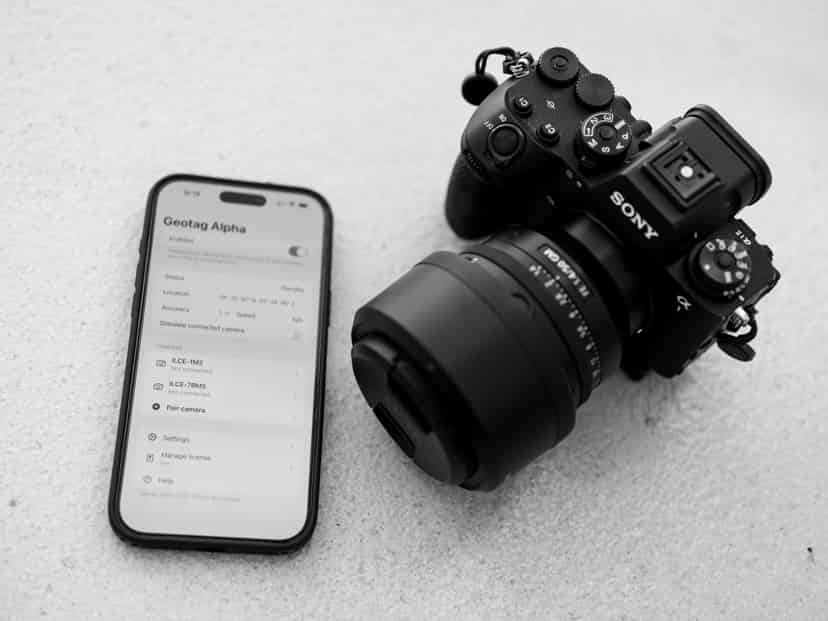
Geotag Alpha: How I Solved the GPS Problem of My Sony Cameras for Less Than 10 Euros a Year
My Sony cameras make life easy for me in many ways. The light here in Palma, the narrow alleys of the old town, the soft midday, the golden evening — all this can be captured with an Alpha, just the way I want. But one thing quietly frustrated me for years: the geo-coordinates.
Almost none of my pictures had reliable GPS data in the metadata. Sometimes a vague signal, most often nothing at all. And this, even though I know where I was. Even though my phone knows. Even though the place belongs to the picture — to the light, to the mood, to the story behind it.
Why Sony Alpha Cameras Hardly Provide GPS Data
Most Sony Alpha models — whether A7, A7R, A7C, or A6xxx — either have no built-in GPS module or a GPS-assist so weak that it is hardly functional in practice. The built-in "GPS-Assist" uses Wi-Fi positioning data and A-GPS raw data — but only when manually synced with the Sony app beforehand, and even then only unreliably.
The theoretical way through the Sony app "Imaging Edge Mobile" is clunky, slow, and feels like a workaround that was never truly completed. Connection drops, outdated interfaces, cumbersome Bluetooth pairing. I've tried it. I gave up on it again.
The problem is structural: Sony deliberately does not install GPS in many professional cameras — presumably to save battery power and keep the bodies compact. For reportage photographers, travel photographers, and anyone who wants to organize their image archives, this is a real gap.
Sony Alpha Model | Built-in GPS | GPS Assist via App | Practicality GPS |
|---|---|---|---|
Sony A7 IV | No | Yes (via Bluetooth) | Unreliable |
Sony A7R V | No | Yes (via Bluetooth) | Unreliable |
Sony A7C / A7C II | No | Yes (via Bluetooth) | Unreliable |
Sony A6700 | No | Yes (via Bluetooth) | Unreliable |
Sony A9 III | No | Yes (via Bluetooth) | Unreliable |
Sony RX100 VII | No | Yes (via Bluetooth) | Unreliable |
The result: thousands of images in my archive without location data. Pictures from the studio in Palma, from outdoor sessions on the coast, from trips — without any geo-information. For archiving, for future searches, for clients who ask "Where exactly was this?" — a real problem.
Geotag Alpha — The Solution I Didn't Expect
I still remember how one evening I stumbled upon Geotag Alpha more by coincidence than intentionally. An iOS app. No big marketing, no elaborate website. Just a tool that does exactly one thing: bring together the GPS coordinates from the iPhone with the image files from my Sony camera.
The principle is as simple as it is convincing. The app runs in the background on the iPhone, recording a GPS track — precise, continuous, battery-friendly. After the photo session, I match the capture times from my camera with the GPS timestamps of the track. The app writes the corresponding coordinates directly into the EXIF metadata of the image files.
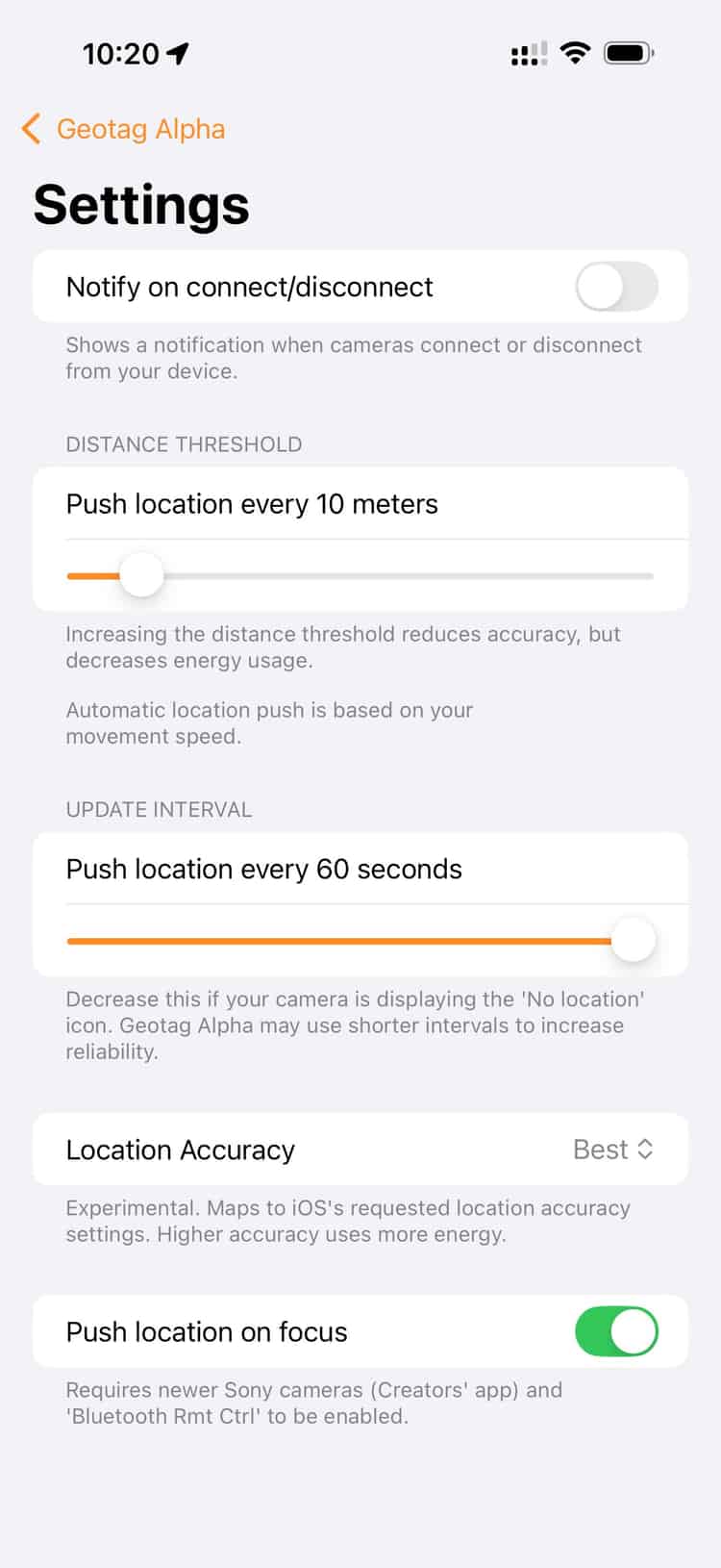
you just add your camera(s) and pair them
The crucial step before that: the time on the camera and the phone must be synchronized. Once set up, it's routine. Since then, I start the app, put the phone in my pocket, and take pictures. That's it.
How It Looks in Practice — My Workflow
I do a lot of outdoor photography. Sessions by the sea, in the streets of Palma, at the harbor, sometimes in the countryside. But also in my studio, where I work with natural window light. For the outdoor sessions, the location is almost always part of the story of the picture. For studio shots, it's at least useful to know later in the archive: that was the room, that was the place.
Step | Action | Effort |
|---|---|---|
1 | Start Geotag Alpha on the iPhone, begin track recording | 10 seconds |
2 | Synchronize camera time and iPhone time (one-time setup) | One-time ~2 minutes |
3 | Take photos — everything stays the same | — |
4 | After the session: copy RAW files to the computer | Normal |
5 | Export GPS track from the app (GPX format) | 30 seconds |
6 | Geotag Alpha (Mac app) reads track + images, writes GPS into EXIF | 1–2 minutes |
7 | Import images into Lightroom / Capture One — coordinates are present | Normal |
What I've noticed: The workflow integrates so naturally that after a few weeks I no longer perceive it as an extra step. It's just there. Like putting a camera bag on.
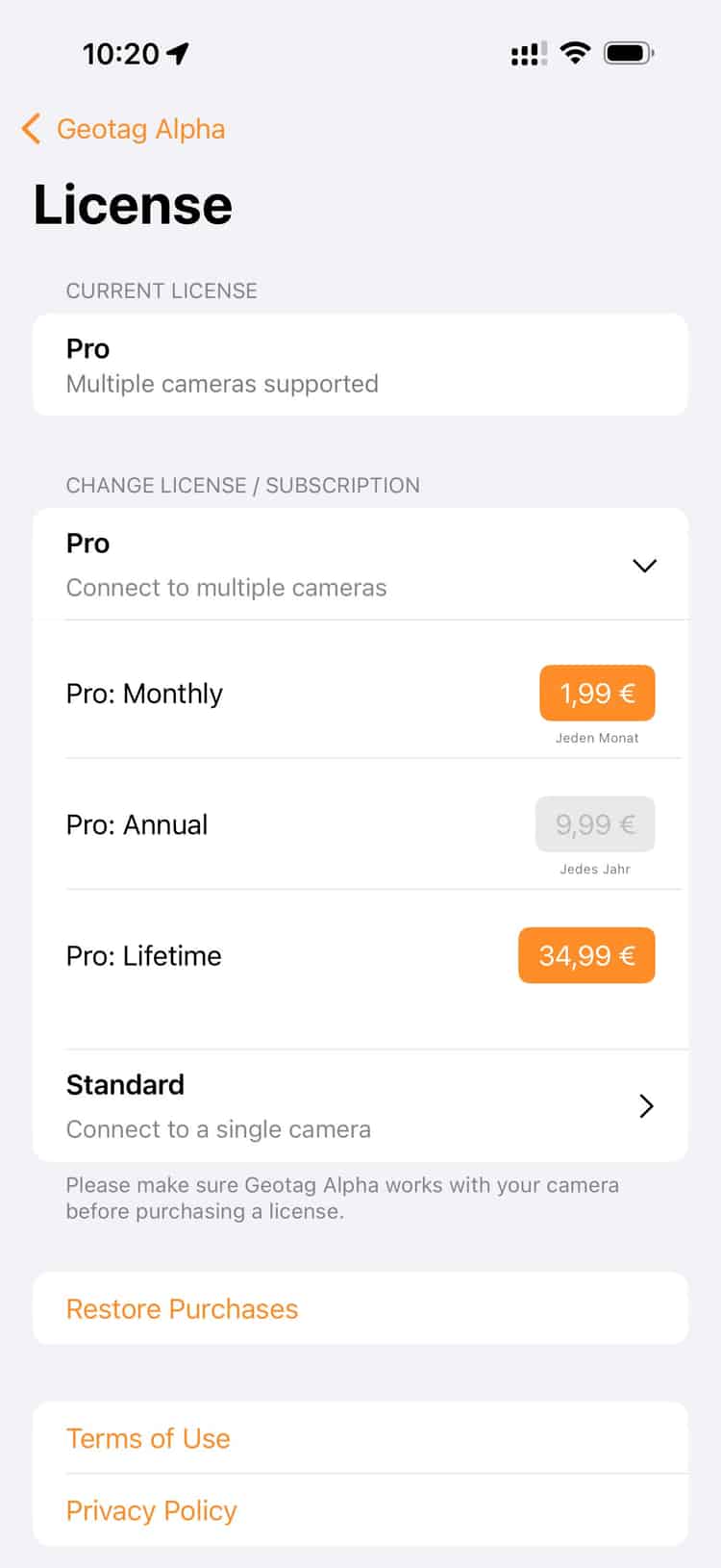
as a pro user you can connect as many cameras as you like
What It Costs — And Why That’s the Real Joke
I pay less than 10 euros a year for the app. No one-time payment, no expensive accessories, no GPS receiver for the flash shoe. Under 10 euros. For something that has sustainably changed my entire image archive.
By comparison: a dedicated GPS receiver for Sony cameras — like the Sony GP-X1EM — costs several hundred euros. It hangs on the flash shoe, needs batteries, and makes the camera heavier and more awkward. For studio and portrait work, this is out of the question for me.
Solution | Cost | Effort | Suitable for Studio? | Accuracy |
|---|---|---|---|---|
Geotag Alpha (App) | < 10 €/year | Very low | Yes | Very good (iPhone GPS) |
Sony GP-X1EM GPS Receiver | ~300–400 € one-time | Low (flash shoe) | Limited | Good |
Sony Imaging Edge Mobile App | Free | High (Bluetooth, connection issues) | Theoretically yes | Unreliable |
Manual Geotagging in Lightroom | Free | Very high | Yes | Low (manual work) |
No Geotagging | Free | No effort | Yes | No data |
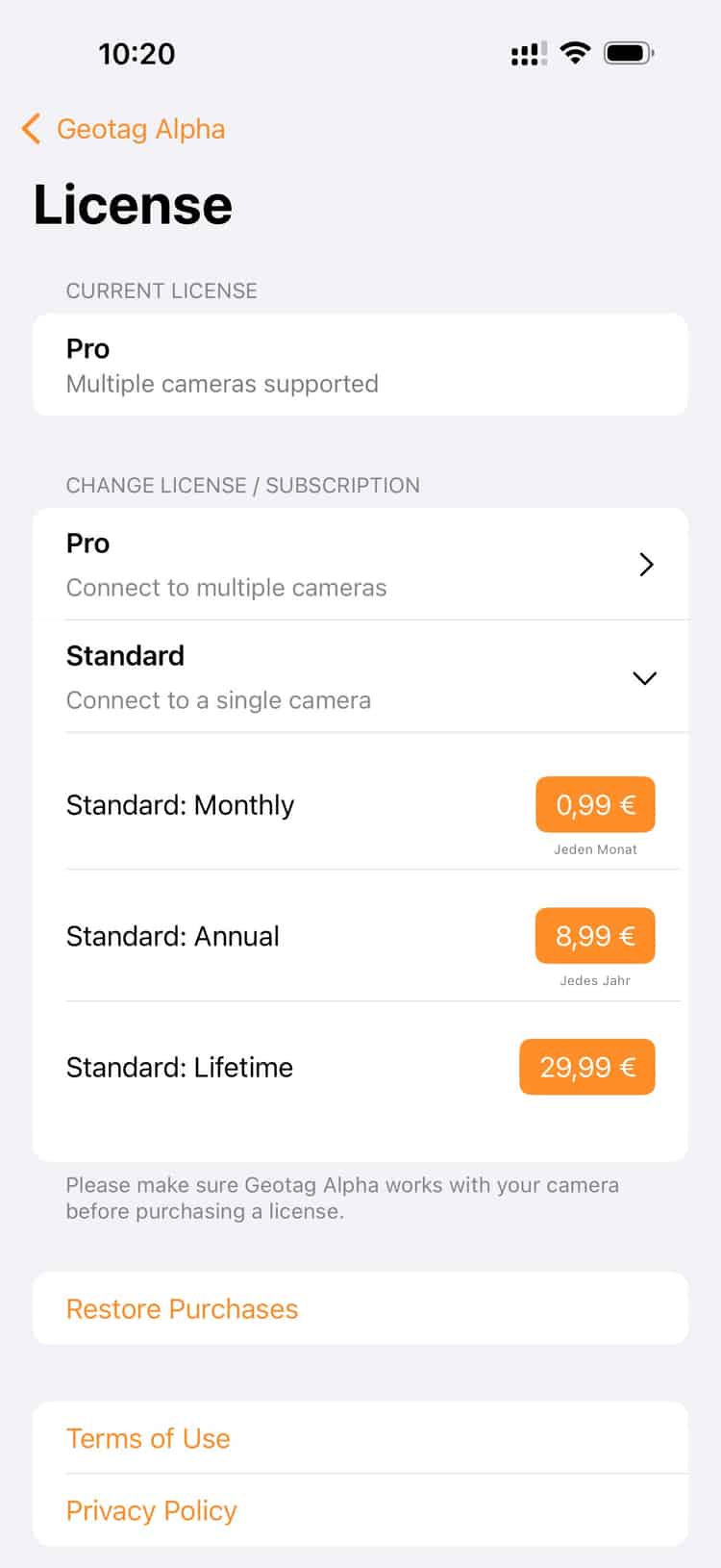
if you want to connect just one camera it gets a touch cheaper
What Has Changed — In the Archive and in Thinking
I didn't revolutionize my archive with this. But I gave it back something that should always have been there: the place.
In Lightroom, I now see on the map where each session took place. The beach at Ses Illetes, the pine avenue, the studio at Plaça de Santa Eulàlia. Pictures get a location — not just metaphorically, but literally. This helps with searching, selecting, storytelling.
And it helps with something I didn't expect: It reminds me of decisions. Why exactly was I there? Why this light, this street, this courtyard? The coordinates are not just data — they are small memory aids.
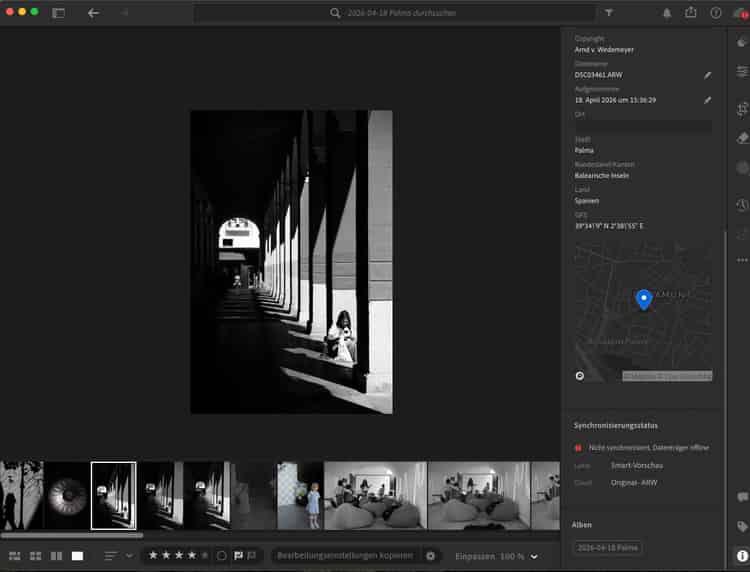
and here are the coordinates in lightroom. automatically!
For portrait photographers working in many different locations — whether in the city, on the coast, or in various studios — geotagging is an underrated tool. Not for the clients. For oneself.
→ See also: Natural Light in Portraits — how I work without artificial light in my studio in Palma
→ See also: My Shooting Workflow from Inquiry to Image Delivery
Frequently Asked Questions
Why don’t Sony Alpha Cameras have built-in GPS?
Most Sony Alpha models forgo a built-in GPS module — presumably to save battery power and keep the body compact. Sony offers instead a "GPS Assist" via the Imaging Edge Mobile app, which in practice functions unreliably and frequently tends toward connection issues.
What is Geotag Alpha and how does the app work?
Geotag Alpha is an iOS app that records a precise GPS track in the background while you shoot. After the session, the track is exported as a GPX file and matched with the image files. Based on the capture times, the app writes the appropriate GPS coordinates directly into the EXIF metadata of the photos.
Does Geotag Alpha work for studio shoots?
Yes. Even for studio shots, the iPhone records the position. The coordinates of the studio are then automatically entered into all the session's images — useful for archiving and later search in the image management software.
Do I need to set the time on my Sony camera separately?
Yes, and that is the most important step. The camera time and iPhone time must match as closely as possible so that the GPS track can be correctly synchronized with the capture times. A deviation of a few seconds is not a problem; larger differences, however, can lead to mismatches. The synchronization is needed once and quickly becomes a habit thereafter.
Which image formats are supported — does it work with RAW files?
Geotag Alpha writes GPS coordinates into RAW files as well (e.g. Sony ARW format). The EXIF metadata is written directly into the file or into a sidecar file, depending on the setting. In Lightroom and Capture One, the coordinates are then correctly displayed.
Is there an alternative to Geotag Alpha for Android users?
For Android, there are similar apps like "GPS Logger" or "Photo Map". The principle is identical: record GPS track, export GPX, and match with the image files. Tools like "GeoSetter" (Windows) or the integrated GPS tracking in Lightroom can also read GPX tracks and assign coordinates.
Disclaimer
I found Geotag Alpha while searching with Google. Downloaded it, tested the free trial, and subscribed almost immediately. The developer doesn't yet know anything about my contribution, nor do I receive any compensation. There are certainly other apps that solve the problem just as well; I only tested Geotag Alpha and was very satisfied.
More Posts

Artistic Connection in Photography: Achieving Authentic Portraits
Discover what artistic connection in photography is and how it achieves authentic portraits that convey real emotions in Palma de Mallorca.

40 Portraits, €8,000, and a Night That Stays
At OMR's birthday in Hamburg I shot 40 portraits — for free. The donations raised for Fundació Predator: over €8,000. The story of one night.